Installation & User Guide
byRhinoGen is a dedicated Rhino plugin that combines Rhino's modeling data with the Nano Banana AI engine to produce high-quality design visualization results in just a few seconds.
Installation Method
- Run Rhino and ‘PackageManager’ in the command prompt.

- Search for byRhinoGen in the search bar and install the latest version.
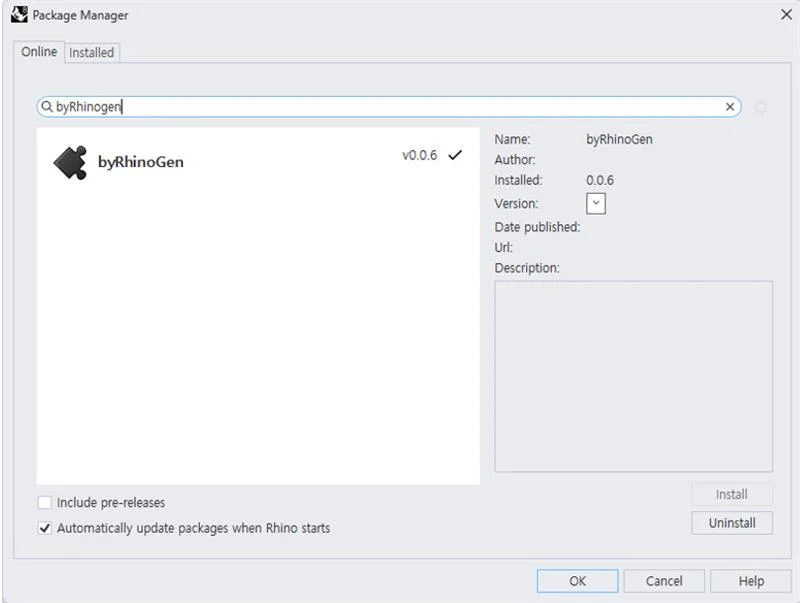
- Once the installation is complete, close all currently open Rhino windows and restart.
- After restarting, if you type ‘byRhinoGen’ in the Prompt, the dedicated panel will be activated.

Account Activation and AI Engine Settings
Account Activation Method
- Login: Click the 'Login' button in the panel to enter your ID and password.

- Sign up: If you don't have an account yet, you can easily proceed with registration by clicking the 'Sign up' button.
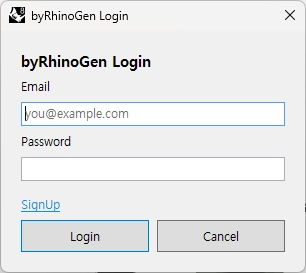
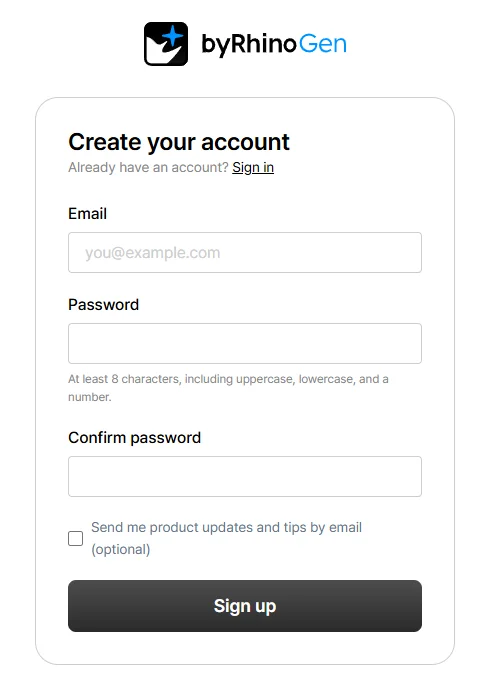
- Free Credits: Once you complete email verification after signing up, you will immediately receive 20 free credits to try out the service.
Account & Preset Advanced Settings
- Accessing Settings: Click the gear (Settings) icon at the top right of the panel to open the settings window, where you can manage your account, prompts, and plugin version.
- Account & Credit Management (Account): You can check and manage your logged-in account information and remaining Credits in real time.
- Prompt Preset Management (Prompt): You can directly add frequently used keywords by clicking the [Add] button or easily edit and delete them by Category, Scene, and Style.
- Plugin Version Check (Version): You can check the currently Installed Version and the last update check time to keep the program up to date.
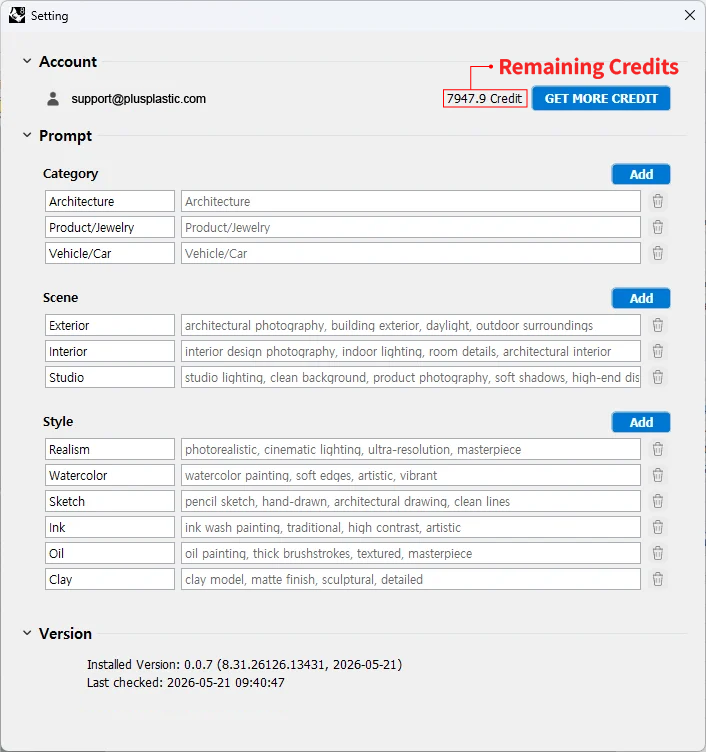
Image Generation and Editing Workflow
You can visualize your ideas and precisely retouch them with just a few clicks.
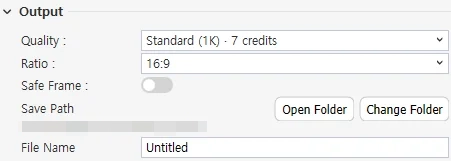
- Generate Image: Set your desired composition in the viewport, enter the style and prompt, and click Generate Image. The Nano Banana engine analyzes the viewport data and outputs a high-resolution image.
- *When generating an image, the indicated amount of credits will be deducted. For the credit deduction policy and detailed information, please refer to the Credits page.

- AI Engine Selection: You can easily change the AI rendering engine with a single click from the 'Model' dropdown menu. The plugin supports a total of 3 AI engines (NanoBanana, NanoBanana 2, NanoBanana Pro) to suit your workflow needs.

- Precise Retouching: You can retouch brightness, contrast, curves, and vignetting in the Adjustment panel of the generated result window. This process is reflected in real-time without consuming additional credits.
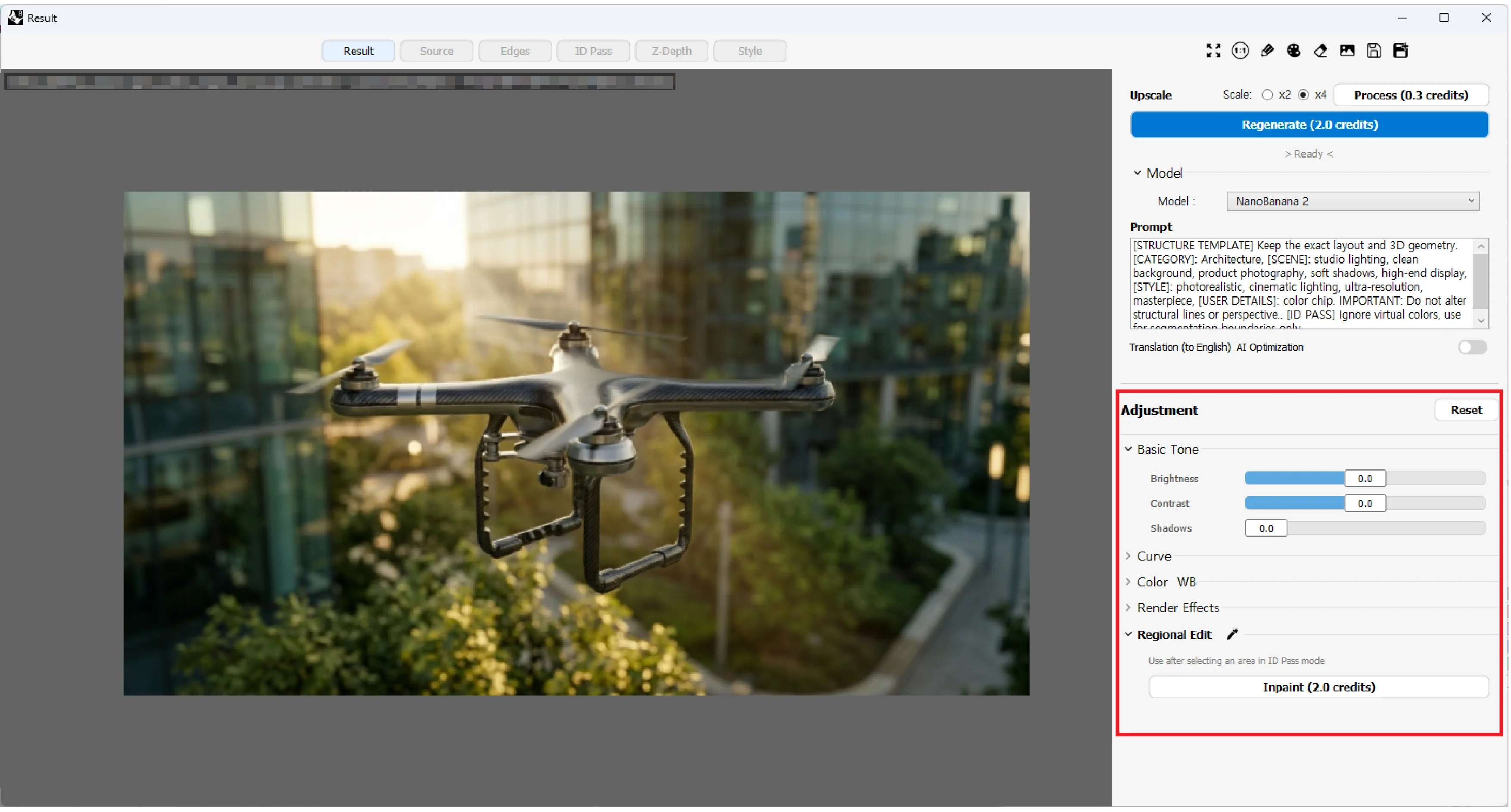
- Partial Modification and Regeneration: Use the Inpaint function to modify only a specific area of the image by selecting it with a brush, or if you want to change the overall feel, quickly generate a new draft through Regenerate.
- *When generating an image, the indicated amount of credits will be deducted. For the credit deduction policy and detailed information, please refer to the Credits page.
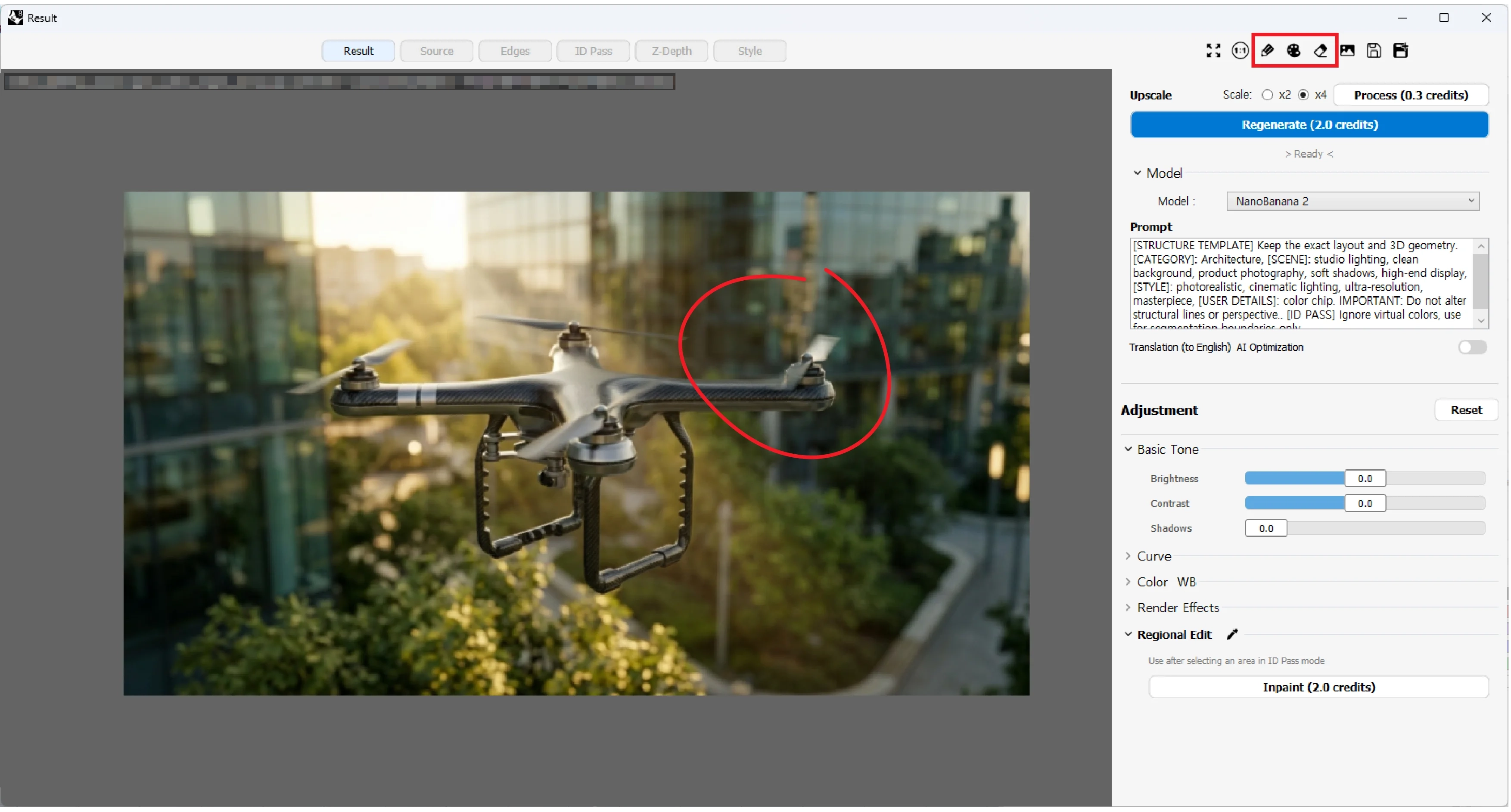
- You can find more detailed explanations of the UI functions on the Panel Guide page and the Result Guide page.
Data Management and History Utilization
- byRhinoGen safely and systematically records the user's work data.
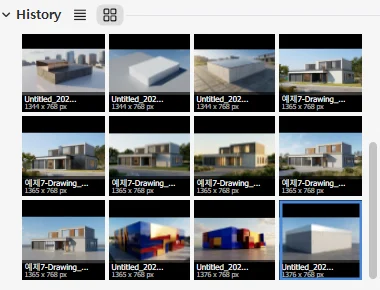
- Automatic Data Saving: All work is automatically recorded in the 'Save Path' designated by the user. Not only the .png result image, but also the ‘Z-Depth, ID Pass, and Edges’ data for precise retouching, along with a .json file containing the prompt information at the time of the work, are saved as a set.
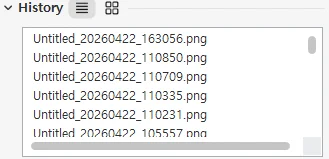
- Continuous Work Environment: Even if you close Rhino, you can recall previous work history at any time from the History tab. Seamlessly continue your retouching or upscaling work based on the data in the saved path.
Credit System and Payment Information
- byRhinoGen operates on a pay-as-you-go credit system where you recharge and use it when needed, without a regular subscription.
- Credit Consumption: Depending on the complexity of the work (resolution, AI model, etc.), approximately 1~12 credits are consumed per task.
- Free Trial: Upon completion of email verification, 20 credits are immediately issued to new users.
- Payment Method: Easily top up via Toss Payments (Korea only) and Polar (All other countries).
- Validity Period: Valid for 1 year from the date of recharge, and we will notify you by email before expiration.
- You can check detailed credit consumption criteria and package prices on the Credit Information page.